Fraction Calculator 4in1
Publisher Description
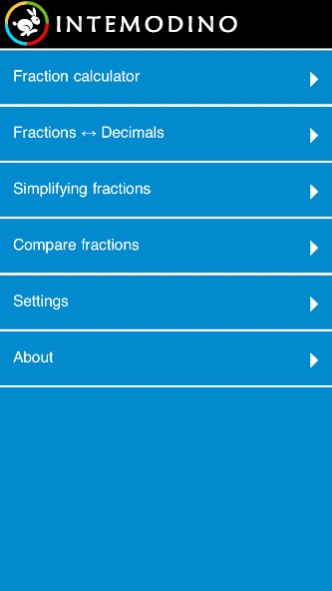
Fraction Calculator 4in1: calculate, convert, simplify and compare fractions
Everything you need to convert, calculate, simplify and compare fractions in one app!
Fraction Converter and Calculator is perfect for engineers, carpenters, builders, students and anyone who needs a comprehensive fraction app.
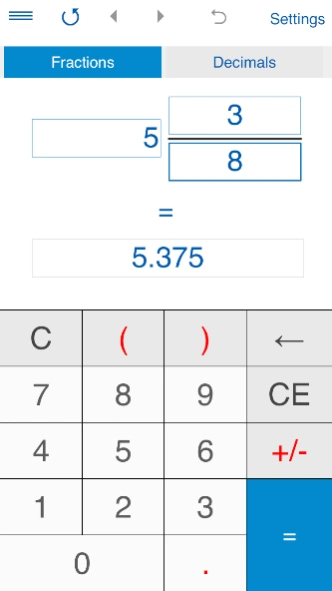
► FRACTION CONVERTER
- Converts fractions to decimals and vice versa.
- Supports proper and improper fractions, mixed numbers, terminating and repeating decimals.
- To convert a fraction to a decimal number, tap ‘Fractions', input a fraction or a mixed number and tap "=".
- To convert a decimal number to a fraction, tap ‘Decimals’, enter a decimal number using the decimal point "." as separator (eg. 1.23) and tap "=".
You can use this converter for both terminating decimals and repeating decimals.
For repeating decimals enclose the repeating digits in parenthesis. Eg. type 0.24(3) for 0.24333... If the number is 5.123123..., type 5.(123).
- Round fractions to the nearest 1/2, 1/4, 1/8, 1/16, 1/32, 1/64, 1/128, 1/256.
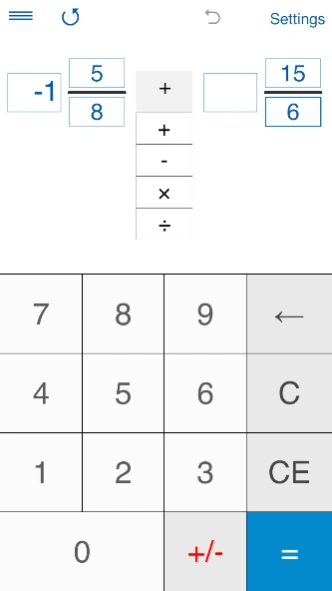
► FRACTION CALCULATOR
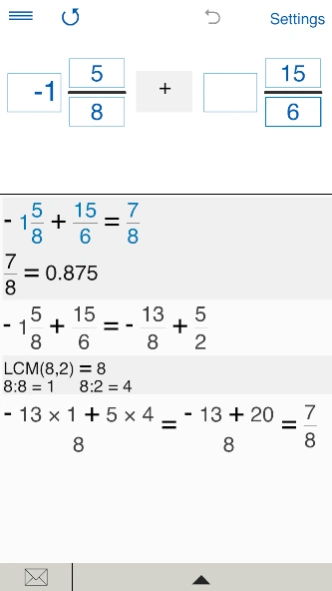
- Fraction calculator with steps for two and three fractions.
- Performs basic operations (addition, subtraction, multiplication, and division) with proper and improper fractions, mixed numbers and whole numbers. Supports negative values.
- To add, subtract, multiply, and divide three fractions, you should select a landscape orientation.
- Round fractions to the nearest 1/2, 1/4, 1/8, 1/16, 1/32, 1/64, 1/128, 1/256.
► FRACTION SIMPLIFIER
Calculator for reducing fractions and mixed numbers.
► COMPARE FRACTIONS CALCULATOR
The app compares proper and improper fractions and mixed numbers.
You can compare two or three fractions. To compare three fractions, you should select a landscape orientation.
OTHER FEATURES:
• Shows step-by-step solution.
• History tape to view your recent calculations.
• Back and forward buttons to check or recall recent calculations.
• Sends results and history via email.
• 'Undo' for the Clear command.
• Personalize the look and feel of the app by changing the color of the theme.
• The app supports both portrait and landscape orientation.
APP'S SETTINGS:
- Rounding results to the desired number of decimal places. To round results to the nearest whole number, select 0 decimal places.
- In Fraction Calculator and Fraction Converter, you can select to round fractions to the nearest 1/2, 1/4, 1/8, 1/16, 1/32, 1/64, 1/128, 1/256. By default, the app rounds fractions to the nearest 1/32.
If you do not need to round fractions, just select "-".
- 7 color schemes.
- Supports 18 languages:
Chinese, Czech, Danish, Dutch, English, Finnish, French, German, Greek, Italian, Japanese, Korean, Norwegian, Portuguese, Russian, Spanish, Swedish, Turkish.
Fraction Converter and Calculator is brought to you by Intemodino.
FOLLOW US:
• https://intemodino.com
• Facebook: https://www.facebook.com/Intemodino
• Twitter: https://twitter.com/intemodino
About Fraction Calculator 4in1
The company that develops Fraction Calculator 4in1 is Intemodino Group s.r.o.. The latest version released by its developer is 1.0 .
To install Fraction Calculator 4in1 on your Android device, just click the green Continue To App button above to start the installation process. The app is listed on our website since 2025-08-31 and was downloaded 19 times. We have already checked if the download link is safe, however for your own protection we recommend that you scan the downloaded app with your antivirus. Your antivirus may detect the Fraction Calculator 4in1 as malware as malware if the download link to air.com.intemodino.fractionsconverter is broken.
How to install Fraction Calculator 4in1 on your Android device:
- Click on the Continue To App button on our website. This will redirect you to Google Play.
- Once the Fraction Calculator 4in1 is shown in the Google Play listing of your Android device, you can start its download and installation. Tap on the Install button located below the search bar and to the right of the app icon.
- A pop-up window with the permissions required by Fraction Calculator 4in1 will be shown. Click on Accept to continue the process.
- Fraction Calculator 4in1 will be downloaded onto your device, displaying a progress. Once the download completes, the installation will start and you'll get a notification after the installation is finished.
Program Details
System requirements
Download information
Pricing
Version History
version
posted on 2025-09-01
version
posted on 2020-07-30
Added 64-bit support
version 4.2.1
posted on 2019-10-03
New interface.
Now you can use the app to add, subtract, multiply, divide, convert, simplify and compare fractions.
New app icon.
Fixed problem with automatic language detection.
